|
Indigo DQM software uses a self-signed digital signature
and code signing certificate for the installation and
deployment of all our software products.
To install our software you will need to install the
Indigo DQM code signing certificate in the trusted root
certificate authority on your computer before installation
of the software products.
The Indigo DQM certificate has been issued for the
self-signed digital signature and code signing requirements
of all Indigo DQM software products and is intended
for the following purposes:-
1). Ensures software came from the software publisher
Indigo DQM.
2). Protects software from alteration after publication.
The certificate is issued in accordance with these
policies:-
1). Digital Signature (80) Critical
2). Code Signing (1.3.6.1.5.5.7.3.3)
The certificate details and properties can be validated
along with this page on our website by viewing the certificate
properties and clicking the issuer statement button.
Download and Install Indigo DQM Certificate
 Download
Indigo DQM Certificate Download
Indigo DQM Certificate
Download and open the certificate file IndigoDQM.crt
and follow the instructions below.
Certificate Information
Certificate Information properties confirms the certificate
is issued by Indigo DQM.
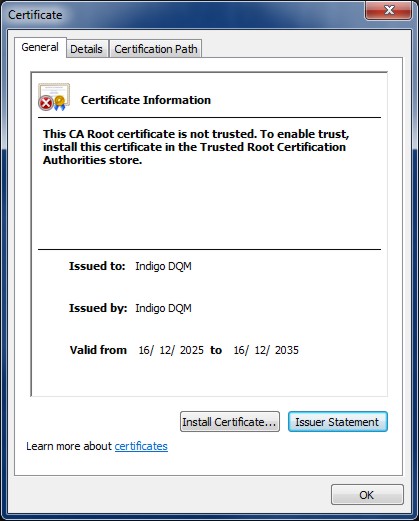
The Indigo DQM CA root certificate needs to be installed
in the Trusted Root Certification Authorities Store
to enable trust click Install Certificate.
Issuer Statement and Disclaimer
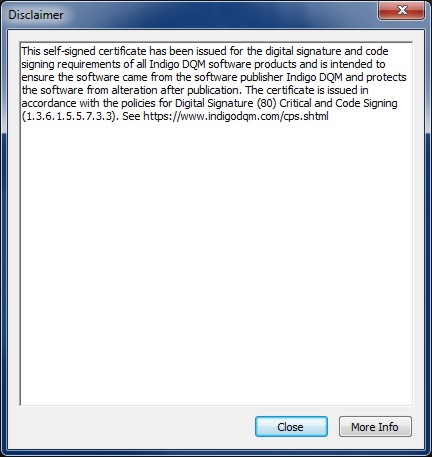
The More Info button will become enabled when the certificate
is successfully installed and will link to this page.
Certificate Import
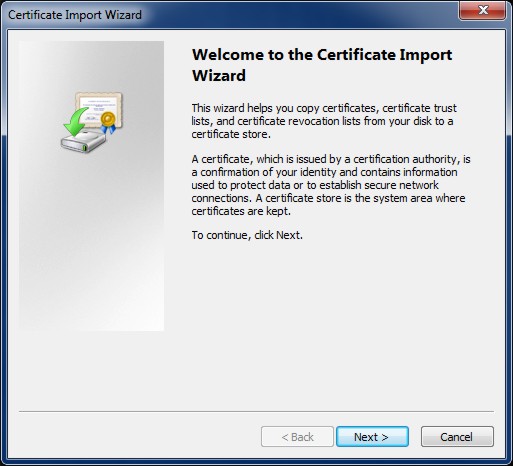
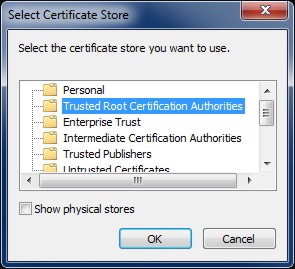
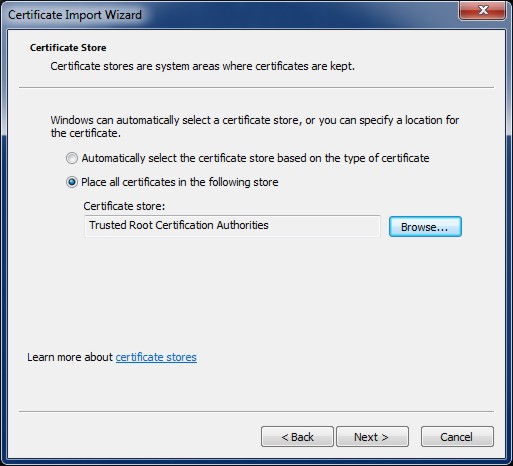
Import Certificate into the Certificate Store
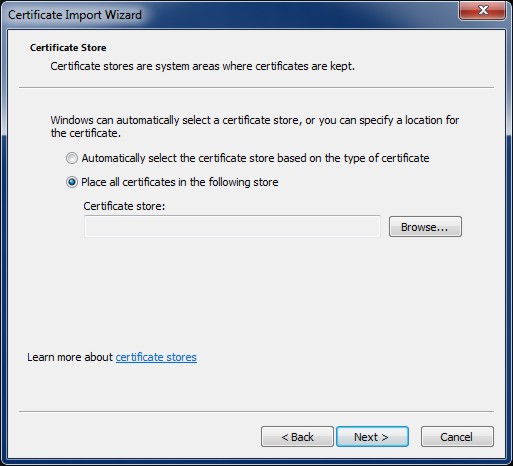
Select the Trusted Root Certification Authorities
Store
Confirm Installation of the Indigo DQM Certificate
Check the Indigo DQM certificate Thumbprint (sha1)
and click Yes to install.

Thumbprint (sha1): 0EF09302 C93A4E05 E9D93C75 F61163E7
BFE0E673
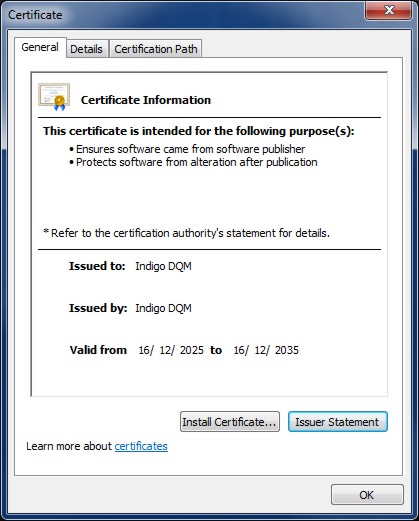
Successful installation now shows
certificate purposes.
1). Ensures software came from the
software publisher Indigo DQM.
2). Protects software from alteration after publication.
|